
DSL, Cable, Fiber, Satellite, and Fixed Wireless: A Side-by-Side Look

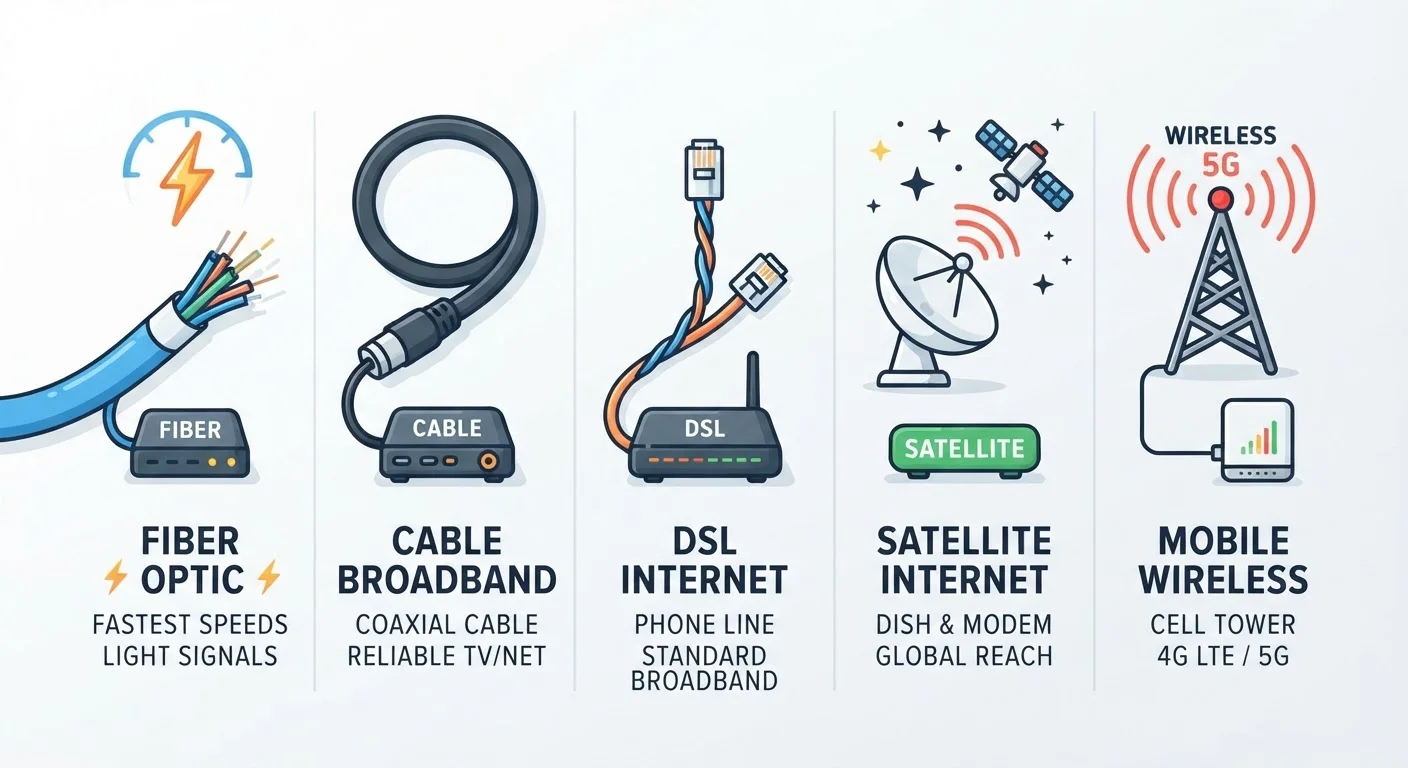
Photo: ConfiReads.com | Blogs For Inquisitive Minds editorial
Key Takeaways
- Fiber offers the fastest and most consistent speeds but isn't available in all areas.
- Cable is widely available and handles most household needs, though speeds can dip during peak hours.
- DSL uses existing phone lines and is slower but more broadly available than fiber.
- Satellite reaches remote areas but carries noticeable latency that affects real-time tasks.
- Fixed wireless is a growing rural option with decent speeds and lower latency than satellite.
What Sets Each Connection Type Apart
When you sign up for home internet, you're really choosing a delivery method — the physical or wireless path that carries data between your home and the internet backbone. Each technology has different infrastructure, which directly shapes the speeds, reliability, and availability you'll experience.
Understanding these differences helps you evaluate what's actually worth paying for in your area. For a broader look at how ISPs package these technologies into plans, see our plain-language breakdown of internet plan types.
| DSL | Cable | Fiber | Satellite | Fixed Wireless | |
|---|---|---|---|---|---|
| Typical download speed | 25–100 Mbps | 100 Mbps–1 Gbps | 300 Mbps–5 Gbps | 25–250 Mbps | 25–300 Mbps |
| Upload speed | 5–20 Mbps | 5–50 Mbps | Equal to download | 5–20 Mbps | 5–50 Mbps |
| Latency | 20–50 ms | 15–40 ms | 5–20 ms | 20–600 ms | 20–50 ms |
| Reliability | Moderate | Good, peaks may dip | Very high | Weather-sensitive | Moderate to good |
| Rural availability | Moderate | Low | Very low | Broad | Growing |
| Best suited for | Light use, 1–2 users | Most households | Heavy, multi-user homes | Off-grid locations | Rural with no cable/fiber |
DSL: The Phone-Line Option
DSL (Digital Subscriber Line) transmits internet data over the same copper phone lines already installed in millions of U.S. homes. Because it piggybacks on existing infrastructure, it's available in many areas that haven't been upgraded to cable or fiber.
The trade-off is speed. Most DSL connections top out between 25 and 100 Mbps download, and performance degrades the farther your home sits from the provider's equipment hub. If you're mostly browsing, checking email, and streaming one screen at a time, DSL can be sufficient. It becomes a bottleneck in households with multiple simultaneous users or heavy video conferencing.
Check the Distance From the Hub
Cable: The Mainstream Choice
Cable internet runs over the same coaxial cable lines used for cable TV. It's the most common connection type for U.S. households and generally delivers download speeds between 100 Mbps and 1 Gbps.
One well-known limitation: cable lines are shared among neighbors in a local loop, so speeds can dip noticeably during evenings and weekends when many households are online simultaneously. Upload speeds also tend to lag well behind download speeds — a real consideration if you work from home and join video calls regularly. If your speeds consistently underperform what you're paying for, several common factors may be responsible.
88%
U.S. households with fixed broadband access
According to FCC broadband deployment data, the vast majority of Americans have access to at least one fixed broadband provider at 25/3 Mbps or faster.
~45%
U.S. homes with access to fiber
Industry estimates suggest fiber availability has grown rapidly but still reaches fewer than half of U.S. residential addresses, with rural gaps remaining significant.
Fiber: The Performance Leader
Fiber-optic internet transmits data as pulses of light through glass or plastic strands, which allows it to carry far more data with less signal degradation than copper-based technologies. Residential fiber plans commonly offer speeds from 300 Mbps to 5 Gbps, with symmetrical upload and download speeds being a signature advantage.
For households that stream in 4K, game online, run smart home devices, or have multiple people working and learning remotely, fiber is the most capable option available. The catch: fiber infrastructure is expensive to build, so availability is concentrated in cities and growing suburbs. Rural coverage remains limited.
If fiber is available at your address, getting your first plan set up is straightforward, though it typically requires a technician installation visit.
Satellite and Fixed Wireless: Options for Rural Households
Satellite internet beams data between a dish at your home and orbiting satellites. Traditional geostationary satellites sit roughly 22,000 miles above Earth, producing latency (the delay in data travel) of 500–600 milliseconds — noticeable during video calls and nearly unworkable for online gaming. Low Earth orbit (LEO) satellite services have reduced latency considerably, typically to 20–60 ms, while also improving speeds. Even so, service can be affected by heavy weather and requires clear sky access.
Fixed wireless delivers internet via radio signals from a nearby cell tower to an antenna mounted on your home. Latency is generally lower than satellite — often 20–50 ms — and speeds typically range from 25 to 300 Mbps depending on the provider and local tower density. Availability has expanded in recent years as carriers have built out 4G and 5G networks. Fixed wireless is worth investigating before committing to satellite if you're in a rural area.
If you encounter issues after getting connected, our connection troubleshooting checklist can help you diagnose most problems without a service call. For a deeper look at home networking beyond just the connection type, see everything you need to know about home networking.
Advertised Speeds Aren't Guaranteed
The content on this site is for informational purposes only and is not a substitute for professional advice. Always consult a qualified professional for guidance specific to your situation.