
Consumer Electronics, Explained: A Beginner's Map of the Device Landscape

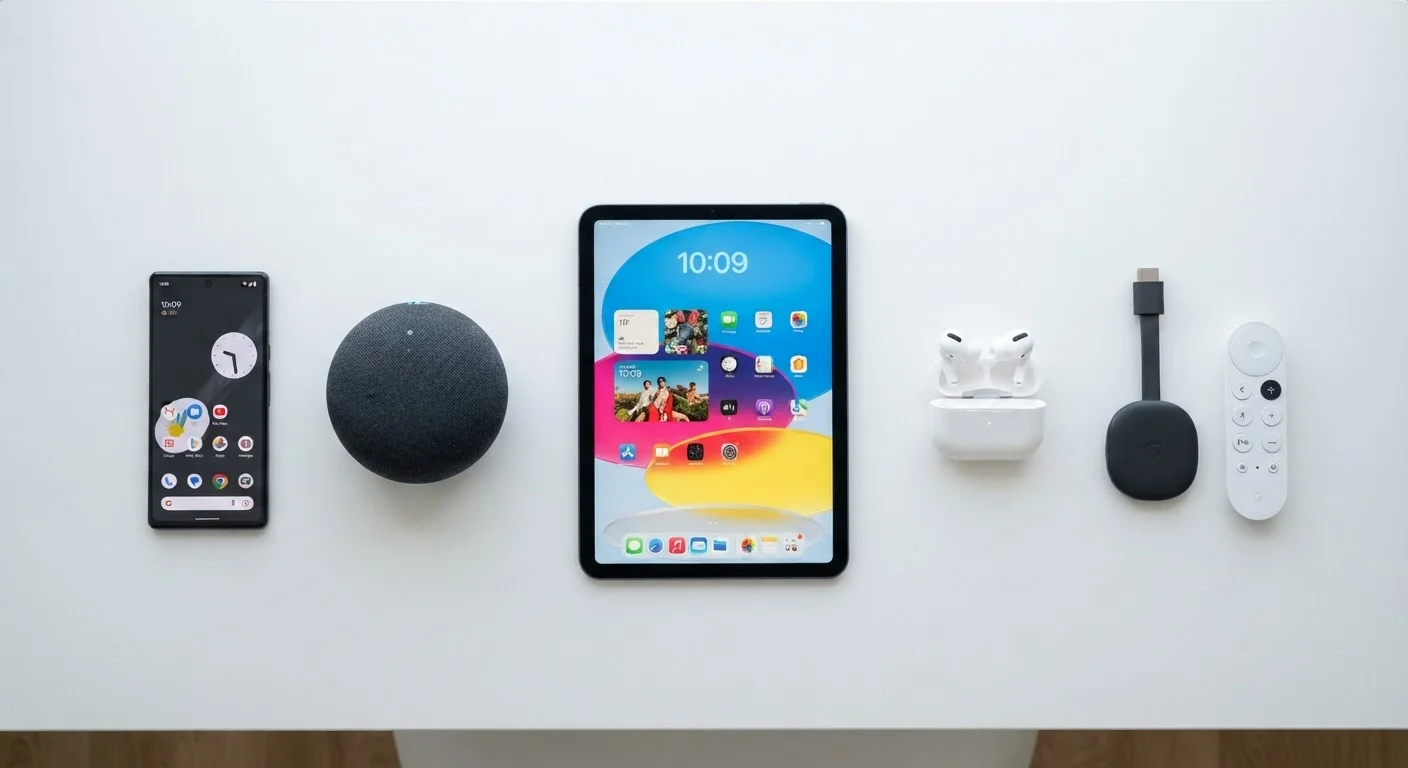
Photo: ConfiReads.com | Blogs For Inquisitive Minds editorial
Key Takeaways
- Consumer electronics fall into a handful of clear categories, each solving a different everyday need.
- Most modern devices connect to each other via Wi-Fi, Bluetooth, or a home hub.
- Understanding what a device does before buying prevents costly mismatches.
- Smartphones are the central hub of most people's personal tech ecosystem.
- Knowing basic connectivity concepts helps you get more from every gadget you own.
What 'Consumer Electronics' Actually Means
The term consumer electronics covers the broad universe of electronic devices sold to individuals for personal, home, or entertainment use. That's a wide net - everything from a $10 USB charger to a $2,000 laptop fits the definition. What ties them together is that they're designed for general audiences, not for industrial or specialized professional settings.
The category has exploded in the last two decades. Where a household in the early 2000s might have owned a desktop computer, a DVD player, and a cell phone, a typical US home today might contain a dozen or more connected devices. Understanding the landscape starts with recognizing that most of these gadgets fall into recurring device categories, each solving a specific kind of problem.
Operating system (OS)
The core software that runs a device and lets you interact with apps and settings. Common examples are Android and iOS for phones, and Windows and macOS for computers.
Ecosystem
A collection of devices and services from one company designed to integrate smoothly with each other, such as Apple's lineup of iPhone, iPad, Mac, and Apple Watch.
Smart device
Any device that can connect to the internet or other devices to send and receive data, enabling remote control, automation, or personalized responses.
Streaming
Playing audio or video content in real time over an internet connection, rather than downloading a file first. Services like Netflix and Spotify use streaming.
Firmware
Low-level software built into a device that controls its basic functions. Manufacturers release firmware updates to fix bugs or add features - similar to an OS update but at a deeper level.
Matter standard
A shared smart home compatibility standard backed by major tech companies that allows devices from different brands to work together reliably on the same network.
The Core Device Categories
Think of consumer devices in five broad groupings:
- Personal computing: Laptops, desktops, and tablets - devices built for creating, organizing, and processing information. Laptops cover most people's needs, while desktops offer more power for stationary use. For a deeper look at the tablet-vs-laptop question, see our guide on which device fits your routine.
- Smartphones: The most personal and versatile device most people own. A modern smartphone is simultaneously a camera, navigator, payment terminal, health tracker, and communications hub. It also acts as the control center for many other gadgets.
- Entertainment devices: Smart TVs, streaming sticks (like Roku or Fire TV Stick), gaming consoles, and Blu-ray players. These are optimized for consuming video, music, and interactive games on your TV or monitor.
- Audio and wearables: Wireless earbuds, headphones, smartwatches, and fitness bands. These devices sit on or near your body, often syncing data back to your phone.
- Smart home devices: Smart speakers, displays, thermostats, lighting, doorbells, and security cameras. They automate or add remote control to household functions. For a breakdown of how these differ from each other, see smart speakers, displays, and hubs explained.
Start With What Frustrates You
How Devices Connect to Each Other
Modern gadgets rarely work in isolation. They form a network - and understanding the connections between them helps you troubleshoot problems and make smarter purchasing decisions.
The three most common connection methods are:
- Wi-Fi: Your home router broadcasts a wireless internet signal. Most smart TVs, laptops, phones, and smart home devices connect this way. A stronger, faster router benefits everything on your network. The Internet & Connectivity hub covers home networking in detail.
- Bluetooth: A short-range wireless protocol used primarily for audio devices, keyboards, mice, and wearables. It doesn't require internet access - just proximity between two devices.
- USB and USB-C: Physical cables for charging and data transfer. USB-C is increasingly the universal standard across phones, laptops, and accessories.
Many smart home devices also use Zigbee or Z-Wave - low-power wireless protocols optimized for simple commands like toggling a light switch. These typically require a central hub to bridge them to your Wi-Fi network. If you encounter unfamiliar spec terms while researching connectivity, our gadget specs plain-English reference can help decode them.
Not All 'Smart' Devices Are Equal
Choosing the Right Device for Your Life
The most common mistake new buyers make is choosing a device based on features they'll never use - or overlooking how it fits with what they already own. A few practical questions sharpen the decision:
- What problem does this solve? If you already have a tablet, a second screen device may add little value. If you're drowning in tangled wires, wireless earbuds solve a real daily friction point.
- Does it work with your existing ecosystem? A smart speaker from one brand may control lights and thermostats from its own lineup more reliably than it controls competitors' products, though open standards are narrowing that gap.
- What are the ongoing costs? Streaming devices often require subscription services. Smart home cameras may charge for cloud storage. Factor these in before buying.
For a structured way to work through these questions, use our pre-purchase checklist before committing to any new gadget. And if you want context on how these categories have evolved, gadget categories that have changed the most in the past decade offers useful perspective on where the market has been - and where it's heading.
Beware of Feature Overlap and Redundancy
Frequently Asked Questions
The content on this site is for informational purposes only and is not a substitute for professional advice. Always consult a qualified professional for guidance specific to your situation.