
Tablet or Laptop? Understanding Which Device Actually Fits Your Routine

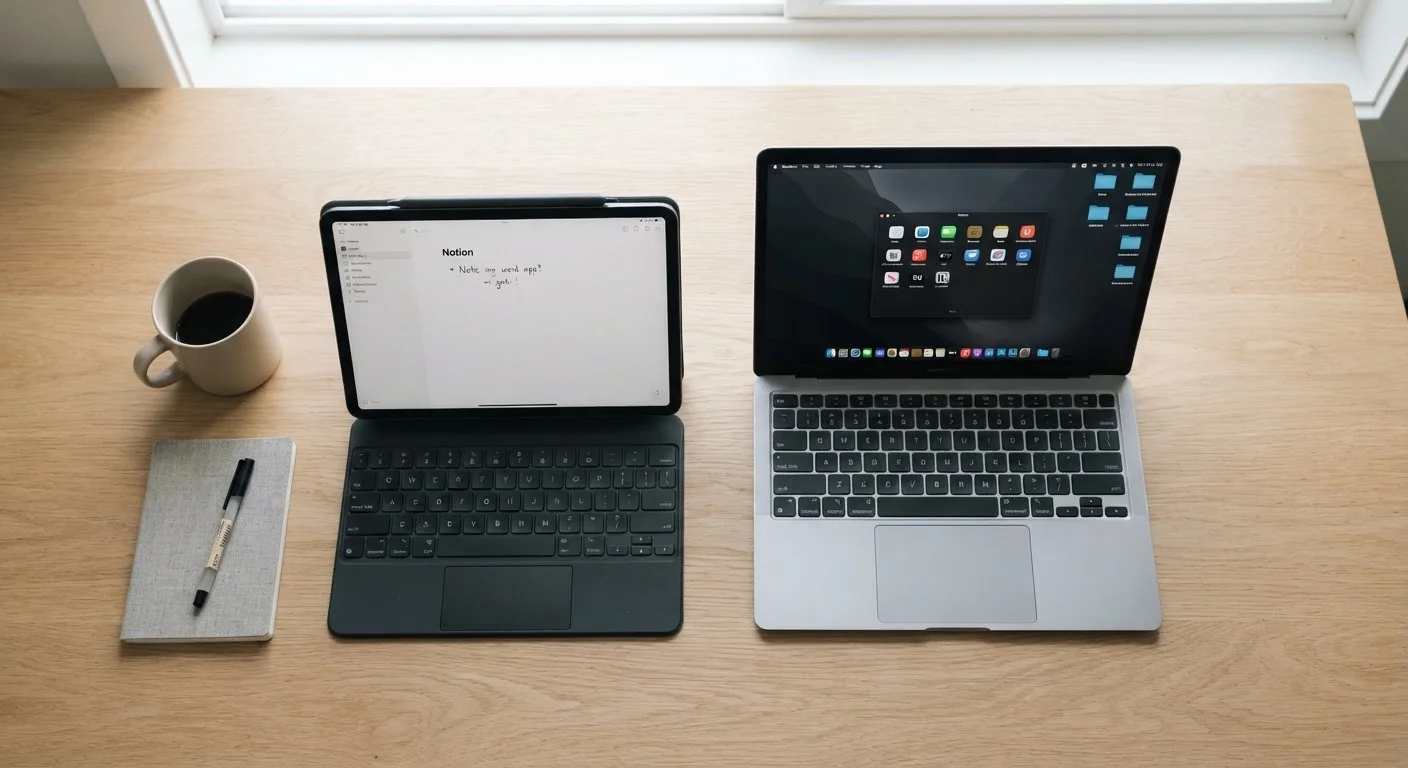
Photo: ConfiReads.com | Blogs For Inquisitive Minds editorial
Key Takeaways
- Laptops generally handle demanding, keyboard-heavy work better than tablets in most workflows.
- Tablets excel at portability, media consumption, reading, and light creative tasks like sketching.
- Many tablets now pair with keyboards, but the software experience still differs from a full laptop OS.
- Budget, typical use patterns, and whether you already own other devices are the key decision factors.
- Some households find both devices useful; others can comfortably rely on just one.
Why This Decision Is Harder Than It Used to Be
A few years ago, tablets were clearly consumption devices - great for Netflix and browsing, but not serious work. Laptops did the real lifting. That line has blurred considerably. High-end tablets now run desktop-class processors, support physical keyboards, and handle apps that would have required a full computer not long ago.
At the same time, laptops have gotten lighter and cheaper, narrowing the portability gap. So the question isn't simply "which is more powerful" anymore. It's about which device fits the shape of your actual day. Understanding the broader device landscape helps frame this choice in context.
What Laptops Do Better
Laptops hold meaningful advantages in a few key areas:
- Full operating systems: Windows and macOS support a wider range of professional software - accounting tools, coding environments, design suites - than iPadOS or Android currently do.
- Keyboard-first workflows: If you write a lot, manage spreadsheets, or live in a browser with many tabs open, a built-in keyboard and trackpad just work more smoothly over a long session.
- File management: Laptops give you a traditional folder-based file system that many professional workflows depend on. Tablet file management has improved but remains more restricted.
- Multitasking: Running multiple full windows side by side is still more fluid on a laptop, especially for tasks that require referencing one app while working in another.
For anyone whose work regularly involves sustained typing, local file handling, or specialized desktop applications, a laptop remains the more reliable daily driver. Before committing, run through a structured pre-purchase checklist to avoid surprises.
| Tablet | Laptop | |
|---|---|---|
| Portability | Lighter, more compact | Heavier, bulkier |
| Typing comfort | Add-on keyboards feel limited | Built-in keyboard is superior |
| Software range | App-store limited | Full desktop OS support |
| Battery life | Often 10+ hours | Varies, typically 6-12 hours |
| Touch interaction | Native touchscreen | Rare; usually trackpad only |
| File management | More restricted | Full folder system |
| Best use case | Media, reading, light tasks | Productivity, professional software |
What Tablets Do Better
Tablets have real strengths that a laptop genuinely cannot match:
- Portability and weight: Even slim laptops rarely compete with a tablet's form factor for reading in bed, commuting, or slipping into a small bag.
- Touch-first interaction: For tasks like annotating PDFs, sketching, or navigating media, a touchscreen is more intuitive than a trackpad.
- Battery life: Many tablets routinely outlast laptops on a single charge, often significantly.
- Ease of use: Tablets tend to have gentler learning curves, making them a comfortable choice for children, older adults, or anyone who doesn't want to manage a traditional computer.
- Media and reading: The screen-forward design makes tablets excellent for streaming, reading e-books, or browsing recipes in the kitchen.
Try Before You Commit
The display quality of your device also shapes these experiences - learn how resolution and panel type affect what you see on any screen.
The Questions That Actually Guide the Decision
Rather than comparing specs, ask yourself these practical questions:
- What will I do most often? Writing and spreadsheets push you toward a laptop. Reading, watching, and casual browsing favor a tablet.
- Do I need specific software? If your workflow depends on apps only available on Windows or macOS, a tablet likely can't replace a laptop.
- What devices do I already own? If you have a capable desktop at home, a tablet makes a compelling portable companion. If you have only a smartphone, a laptop may deliver more utility per dollar.
- What's my budget? Mid-range laptops often deliver more productive capability per dollar than equivalently priced tablets, especially when you factor in the cost of a tablet keyboard and stylus. Thinking through your budget framework before buying can prevent overspending.
It's also worth considering how well you maintain your devices over time. Good habits keep either choice running well - see device maintenance habits that actually work for practical guidance.
~55%
US adults who own a tablet
Pew Research Center surveys have consistently found tablet ownership among a majority of American adults, with laptops remaining the dominant primary computing device.
10+ hours
Typical tablet battery life
Many leading consumer tablets advertise and deliver over 10 hours of screen-on time, a benchmark that only the thinnest laptops routinely match.
The content on this site is for informational purposes only and is not a substitute for professional advice. Always consult a qualified professional for guidance specific to your situation.