
Smart Speakers in the Home: What They Can Do, What They Can't, and What They Hear

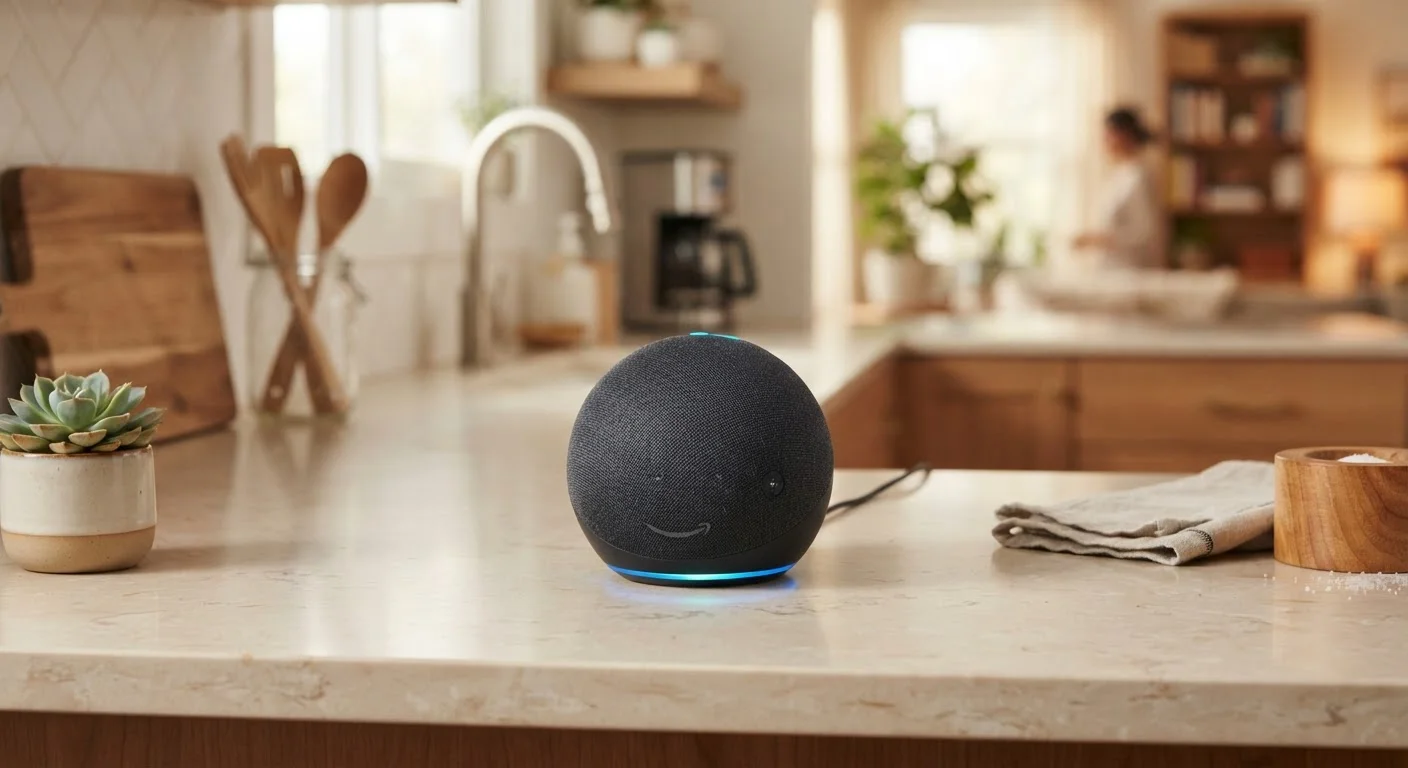
Photo: ConfiReads.com | Blogs For Inquisitive Minds editorial
Key Takeaways
- Smart speakers can control smart home devices, play music, and answer general questions hands-free.
- They struggle with complex requests, nuanced conversation, and tasks requiring a screen.
- Wake words mean the device is always listening for activation — a real privacy trade-off.
- You can limit data collection through privacy settings without losing most core functionality.
- Compatibility with your existing smart home ecosystem matters before you buy.
Hands-free control for everyday tasks
Setting timers, playing music, and checking weather without touching a device is genuinely useful — especially in kitchens, workshops, or when caring for children.
Voice control for compatible smart home devices
Smart speakers can control lights, thermostats, locks, and plugs from any room, often replacing the need to open a separate app.
Quick answers to factual questions
Unit conversions, sports scores, basic calculations, and general knowledge queries are handled quickly and accurately in most cases.
Accessible for users with mobility limitations
Voice-first control removes the need to navigate small buttons or touchscreens, making smart speakers particularly valuable for older adults or people with limited dexterity.
Relatively low upfront cost
Entry-level smart speakers from major brands often retail between $30 and $100, making them one of the more affordable smart home entry points.
Always-on microphone raises privacy concerns
The device listens continuously for its wake word, meaning false triggers can capture and transmit unintended audio clips to the manufacturer's servers.
Struggles with complex or multi-step requests
Voice assistants perform best on simple, discrete commands. Layered instructions, follow-up questions, or context-dependent tasks frequently produce errors or incomplete responses.
No screen limits its usefulness
Any task that benefits from visual output — recipes, directions, product comparisons — is poorly served by an audio-only device.
Ecosystem lock-in can be frustrating
Devices purchased for one ecosystem (e.g., Amazon Alexa) may not work well with smart home hardware designed for a competing platform.
Dependent on a working internet connection
Most smart speaker functions require cloud connectivity; a router outage or service disruption disables the assistant almost entirely.
What Smart Speakers Actually Do Well
Smart speakers — devices like Amazon Echo, Google Nest Audio, and Apple HomePod — are essentially always-on microphones paired with a voice assistant and a wireless speaker. At their best, they excel at a specific set of tasks that benefit from being hands-free and instant.
Hands-free control for everyday tasks
Setting timers, playing music, and checking weather without touching a device is genuinely useful — especially in kitchens, workshops, or when caring for children.
Voice control for compatible smart home devices
Smart speakers can control lights, thermostats, locks, and plugs from any room, often replacing the need to open a separate app.
Quick answers to factual questions
Unit conversions, sports scores, basic calculations, and general knowledge queries are handled quickly and accurately in most cases.
Accessible for users with mobility limitations
Voice-first control removes the need to navigate small buttons or touchscreens, making smart speakers particularly valuable for older adults or people with limited dexterity.
Relatively low upfront cost
Entry-level smart speakers from major brands often retail between $30 and $100, making them one of the more affordable smart home entry points.
Where smart speakers shine most is in the routine moments: asking for a five-minute timer while your hands are covered in dough, dimming the lights without getting off the couch, or getting a weather update while getting dressed. They're also competent at playing music or podcasts via streaming services, setting multiple alarms, and performing quick unit conversions or general knowledge lookups.
For smart home control specifically, a compatible speaker can act as the central voice interface for your whole setup. See our guide to smart speakers, displays, and hubs to understand exactly what role each device plays in a connected home.
Where Smart Speakers Fall Short
The limitations of smart speakers are just as real as their strengths, and knowing them upfront prevents frustration.
Always-on microphone raises privacy concerns
The device listens continuously for its wake word, meaning false triggers can capture and transmit unintended audio clips to the manufacturer's servers.
Struggles with complex or multi-step requests
Voice assistants perform best on simple, discrete commands. Layered instructions, follow-up questions, or context-dependent tasks frequently produce errors or incomplete responses.
No screen limits its usefulness
Any task that benefits from visual output — recipes, directions, product comparisons — is poorly served by an audio-only device.
Ecosystem lock-in can be frustrating
Devices purchased for one ecosystem (e.g., Amazon Alexa) may not work well with smart home hardware designed for a competing platform.
Dependent on a working internet connection
Most smart speaker functions require cloud connectivity; a router outage or service disruption disables the assistant almost entirely.
The most common complaint is that voice assistants handle multi-step or nuanced requests poorly. Ask your speaker to "play something relaxing but not too slow" and you'll often get an arbitrary playlist. Ask it to "remind me about my dentist appointment on Thursday at 2 if I haven't left by 1:30" and it may misfire entirely.
Smart speakers also can't show you information — a significant gap for anything visual, like recipes, maps, or comparison shopping. A smart display (a screen-equipped variant) addresses this, but adds cost. For a broader look at consumer device categories, our beginner's device guide is a helpful starting point.
The Privacy Reality: What Your Speaker Hears
This is the topic that generates the most concern — and the most misinformation. Here's a factual breakdown.
Wake Words vs. Constant Recording
Smart speakers are not continuously streaming everything you say to the cloud. In typical operation, they process audio locally and only transmit a clip to their manufacturer's servers after detecting the wake word ("Alexa," "Hey Google," "Hey Siri"). That said, false wake-word triggers do occur — background TV dialogue or similar-sounding words can activate the device unintentionally.
When a clip is sent to the cloud, it may be stored and, depending on your settings, reviewed by human contractors to improve the assistant's accuracy. All three major platforms — Amazon, Google, and Apple — allow you to delete your voice history and opt out of human review through their respective apps.
~35%
U.S. adults who own a smart speaker
According to Pew Research Center survey data, roughly one in three American adults reported owning a smart speaker, reflecting broad mainstream adoption.
Music & timers
Most common daily smart speaker uses
Industry surveys consistently find that playing music and setting timers account for the majority of daily smart speaker interactions in U.S. households.
Managing these settings doesn't require technical expertise. The companion app for your speaker (Alexa, Google Home, or Apple Home) includes a privacy dashboard where you can review recordings, delete history, and adjust what data is retained. Think of it similarly to reviewing app permissions on your phone — our look at settings menus you've probably never explored covers that habit in more detail.
Setting Up Smart Speakers Thoughtfully
Getting the most from a smart speaker — and staying comfortable with the privacy trade-offs — comes down to a few practical choices at setup and beyond.
- Check compatibility first. If you own smart lights, locks, or a thermostat, confirm they work with the speaker's ecosystem before purchasing. Amazon, Google, and Apple each have preferred partner devices.
- Place speakers deliberately. Avoid bedrooms or rooms where sensitive conversations are routine if you're privacy-conscious. Kitchens and living rooms are the most common — and typically least sensitive — placements.
- Use the mute button. Every major smart speaker has a physical mute button that disables the microphone entirely. It's not just a software toggle — on most models it cuts the circuit.
- Review privacy settings at setup. Don't skip the privacy section of the companion app. Disabling voice history storage and opting out of human review typically costs you nothing in functionality.
For households considering a broader smart home setup, our honest look at smart home trade-offs addresses cost, reliability, and privacy across the full ecosystem — worth reading before committing to multiple devices.
The content on this site is for informational purposes only and is not a substitute for professional advice. Always consult a qualified professional for guidance specific to your situation.