
Fiber vs. Cable Internet: What the Speed Difference Really Means at Home

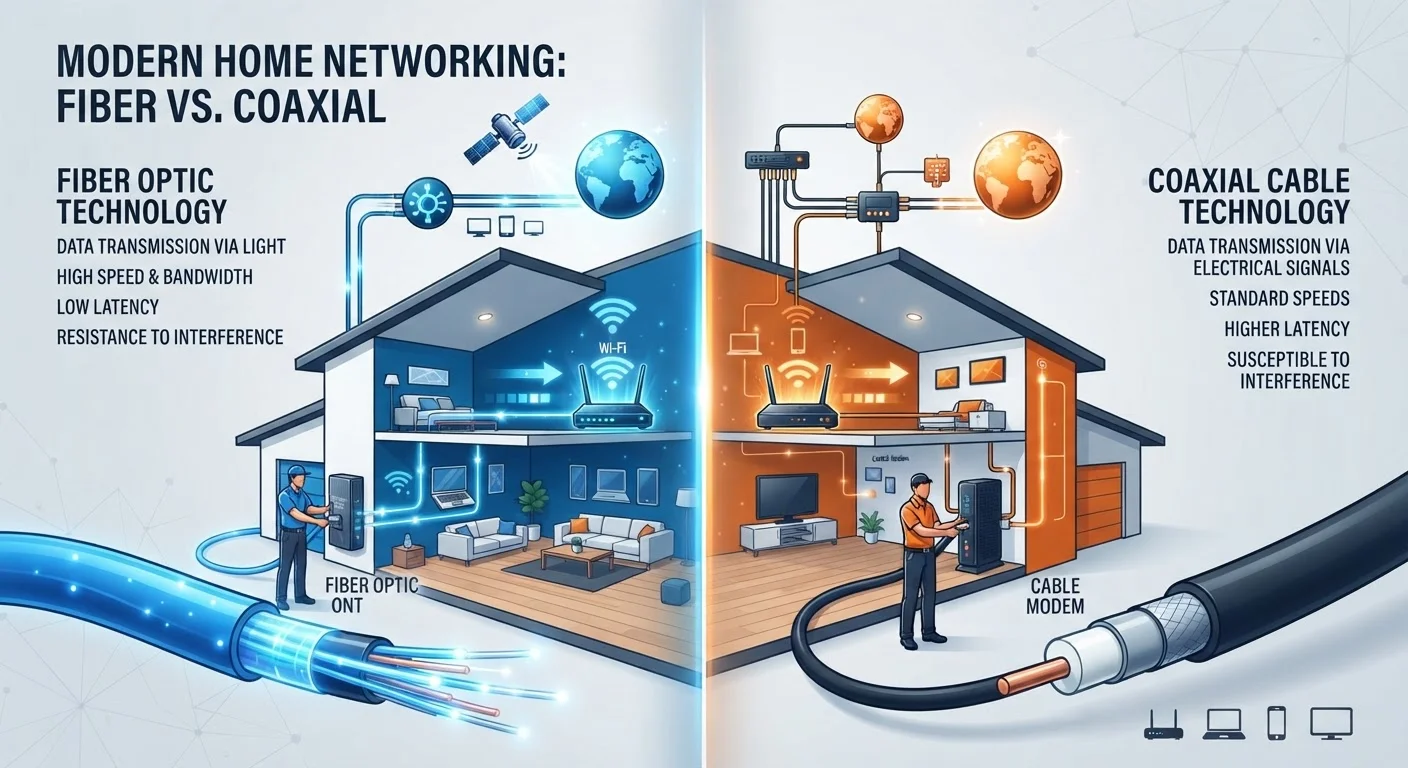
Photo: ConfiReads.com | Blogs For Inquisitive Minds editorial
Key Takeaways
- Fiber transmits data as light through glass strands; cable uses existing coaxial lines shared with TV signals.
- Fiber offers symmetrical upload and download speeds; cable upload speeds are typically much slower than downloads.
- Cable performance can degrade during peak-use evening hours due to shared neighborhood bandwidth.
- Fiber availability is expanding but still limited - roughly 43% of U.S. locations had access as of recent FCC data.
- For most households, the real-world difference depends less on raw speed and more on upload needs and network consistency.
How Each Technology Actually Works
The distinction between fiber and cable isn't just marketing language - it's rooted in the physical medium each uses to carry data.
Fiber internet transmits information as pulses of light through thin glass or plastic strands called fiber optic cables. Light travels fast and doesn't degrade over long distances the way electrical signals do. That's why fiber connections remain stable at high speeds even several miles from a provider's equipment.
Cable internet travels over coaxial cables - the same copper-based lines originally built to carry cable TV. Providers upgraded this infrastructure to carry broadband data using a standard called DOCSIS (Data Over Cable Service Interface Specification). It's highly capable, but it has physical limits that light-based fiber doesn't share.
For a broader look at how these technologies fit alongside DSL, satellite, and fixed wireless, see our full connection-type comparison.
| Criterion | Fiber Internet | Cable Internet |
|---|---|---|
| Transmission medium | Light through glass fiber | Electrical signal over coaxial cable |
| Typical download speeds | 300 Mbps - 5 Gbps | 100 Mbps - 1.2 Gbps |
| Typical upload speeds | Matches download (symmetrical) | 20-50 Mbps (asymmetrical) |
| Peak-hour congestion | Minimal - dedicated lines | Possible - shared node architecture |
| U.S. household availability | Expanding; ~43% coverage | Wide; majority of U.S. homes |
| Best for upload-heavy tasks | Yes | Limited by upload cap |
The Upload Speed Gap - and Why It Matters
The most meaningful real-world difference between fiber and cable isn't always top download speed. It's upload speed symmetry.
Fiber connections are typically symmetrical - a 500 Mbps fiber plan delivers roughly 500 Mbps both downloading and uploading. Cable plans are asymmetrical: a 500 Mbps download plan might offer only 20-35 Mbps upload. That imbalance was designed when most households only consumed content. Today, households produce data too - video calls, cloud backups, smart home device syncing, and file sharing all demand upload capacity.
If your household regularly video-conferences, streams to platforms, or backs up large files to the cloud, that upload ceiling on cable becomes a real bottleneck. Not sure how much speed your household actually needs? Our guide on what Mbps actually means for your home breaks it down by device count and usage type.
~43%
U.S. locations with fiber access
According to FCC Broadband Data Collection reports, fiber availability has grown substantially but still leaves most rural areas underserved.
10-20×
Typical fiber-to-cable upload speed advantage
A standard cable plan may offer 25 Mbps upload while a comparably priced fiber plan delivers 300-500 Mbps upload, a gap that grows with heavier use.
4+
Average devices per U.S. household online simultaneously
As households run more connected devices at once, symmetrical upload bandwidth becomes increasingly relevant to overall network performance.
Network Congestion: Where Cable Shows Its Limits
Cable internet uses a shared-node architecture. Your neighborhood's homes connect to the same local node, and you share that node's total capacity with your neighbors. During peak hours - typically evenings when many households are streaming simultaneously - speeds can drop noticeably. Providers work to manage this by splitting nodes and increasing capacity, but the fundamental shared-bandwidth design remains.
Fiber infrastructure is generally built to avoid this congestion pattern. Your connection runs on dedicated lines to your home, and the capacity is less affected by what neighbors are doing at the same moment.
This doesn't mean cable is unreliable - most cable customers don't experience severe congestion. But it does explain why two households on the same cable plan might experience different real-world speeds based on neighborhood density and time of day. Our article on reasons your internet is slower than advertised covers the full picture of where speed is lost.
DOCSIS 3.1 Narrows the Gap - But Doesn't Close It
Availability, Pricing, and What to Actually Choose
Fiber's advantages are real, but availability is the deciding factor for many American households. Cable infrastructure reaches the overwhelming majority of U.S. homes. Fiber is expanding rapidly in many metro and suburban areas, but rural coverage remains limited.
On price, cable plans often undercut fiber at entry-level tiers, though mid-range pricing has become increasingly competitive. When comparing plans, look beyond the advertised download speed - check the upload speed, contract terms, and any data caps. Those details matter more than the headline number.
It's also worth remembering that your home network equipment shapes your experience just as much as the connection type. A gigabit fiber plan won't reach its potential through an outdated router. Our article on internet speed myths that cost people money explains why the plan alone isn't the whole story. For a full breakdown of how plans are structured and what to look for, see Home Internet Plans, Decoded.
The content on this site is for informational purposes only and is not a substitute for professional advice. Always consult a qualified professional for guidance specific to your situation.