
Wired vs. Wireless Charging: What the Difference Means for Your Battery

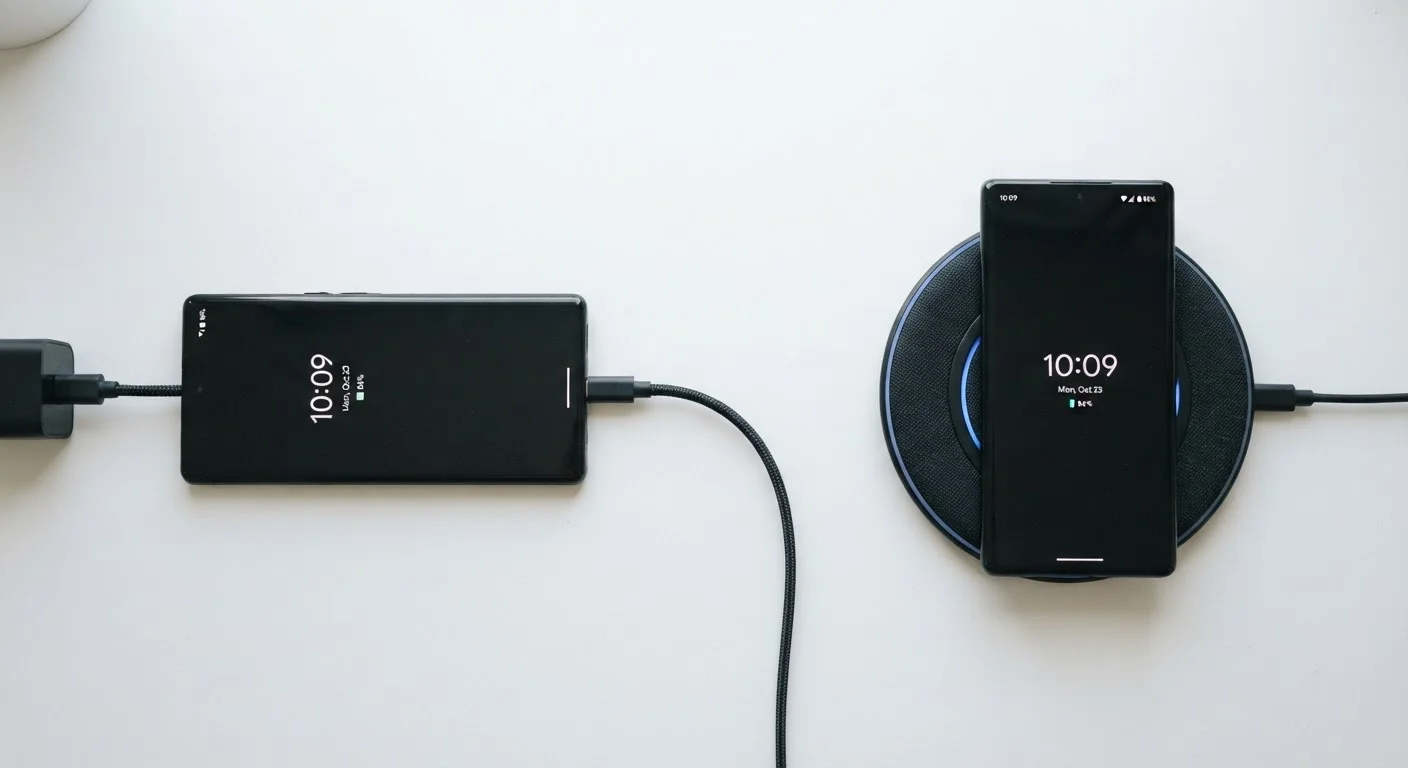
Photo: ConfiReads.com | Blogs For Inquisitive Minds editorial
Key Takeaways
- Wired charging is generally faster and produces less heat than wireless charging.
- Excess heat from wireless charging can gradually degrade lithium-ion battery capacity over time.
- Wireless charging efficiency losses mean more energy is wasted as heat during each session.
- Neither method will instantly destroy your battery — long-term habits matter more than occasional use.
- Keeping your phone cool while charging, regardless of method, is the single best thing you can do for battery longevity.
How Each Charging Method Actually Works
Wired charging transfers electrical energy directly from an adapter into your phone's battery through a physical cable — typically USB-C on modern smartphones. The process is straightforward: electricity moves through a conductor with minimal energy lost along the way.
Wireless charging (most commonly the Qi standard) uses electromagnetic induction. A coil in the charging pad generates a magnetic field that a second coil inside your phone converts back into electricity. That conversion step is where things get interesting — and where trade-offs begin. The extra conversion step means some energy is inevitably lost, usually as heat.
Understanding this distinction matters because heat is the primary enemy of lithium-ion batteries, which power virtually every modern smartphone. For a deeper look at how everyday charging habits affect your devices, see our guide to device longevity habits.
| Criterion | Wired Charging | Wireless Charging |
|---|---|---|
| Charging Speed | Faster (up to 65W+ common) | Slower (typically 5W–30W effective) |
| Heat Generated | Lower (direct transfer) | Higher (induction losses) |
| Energy Efficiency | ~90–95% efficient | ~80–85% efficient |
| Long-Term Battery Impact | Slightly less degradation | Slightly faster degradation |
| Convenience | Requires cable connection | Drop-and-go ease |
| Compatibility | Needs matching cable/port | Qi standard works across many devices |
| Cost to Set Up | Generally lower | Pads range from budget to premium |
Speed, Heat, and Battery Health Over Time
Wired charging wins on raw speed — especially with fast-charging protocols like USB Power Delivery (USB-PD). A good wired charger can take a dead phone to 50% in around 30 minutes on many current flagship devices. Wireless charging, even at higher wattages (15W or 30W on some pads), typically trails behind because of the conversion inefficiency.
The heat issue is worth taking seriously. Studies on lithium-ion battery degradation consistently identify elevated temperature as a key factor in capacity loss over charge cycles. Wireless charging sessions tend to run warmer — both because of induction losses and because phone cases trap heat between the device and the pad. This doesn't mean wireless charging will ruin your battery overnight, but it does mean the degradation rate may be slightly faster over years of daily use.
~20%
Typical wireless charging energy lost as heat
Induction charging systems generally operate at 80–85% efficiency, meaning roughly 15–20% of energy is dissipated as heat rather than stored in the battery.
500–1,000
Typical charge cycles before notable capacity loss
Most lithium-ion phone batteries retain around 80% of original capacity after 500 full cycles; heat exposure can reduce that threshold noticeably sooner.
That said, context matters enormously. A wired fast charger pushing 65W also generates heat. Charging in a hot car or under a pillow — wired or wireless — does far more damage than the method itself. Our breakdown of common tech myths covers why the charging method is often less important than where and how you charge.
Practical Tips for Getting the Best of Both
You don't have to pick one method exclusively. Most smartphone owners will naturally use both depending on the situation — and that's fine. Here's how to minimize downsides either way:
- Remove thick cases when wireless charging. A case that traps heat between the phone and the pad is a bigger problem than the wireless method itself.
- Don't charge on soft surfaces. Beds and couches block airflow and raise temperatures for both wired and wireless charging.
- Use wireless charging for slow, passive top-ups — overnight or at your desk — rather than emergency fast-fills.
- Reserve wired charging for speed when you're in a hurry or need to hit the road soon.
- Avoid charging to 100% repeatedly if your phone allows charge limits. Many modern Android phones and recent iPhones offer an "optimized charging" or charge-limit setting worth enabling.
Also worth reading: our myth-vs-fact breakdown on fast charging, which clarifies what fast charging actually does to your battery versus what marketing claims suggest.
Your Phone's Built-In Protections Help
The content on this site is for informational purposes only and is not a substitute for professional advice. Always consult a qualified professional for guidance specific to your situation.